 GameCaddie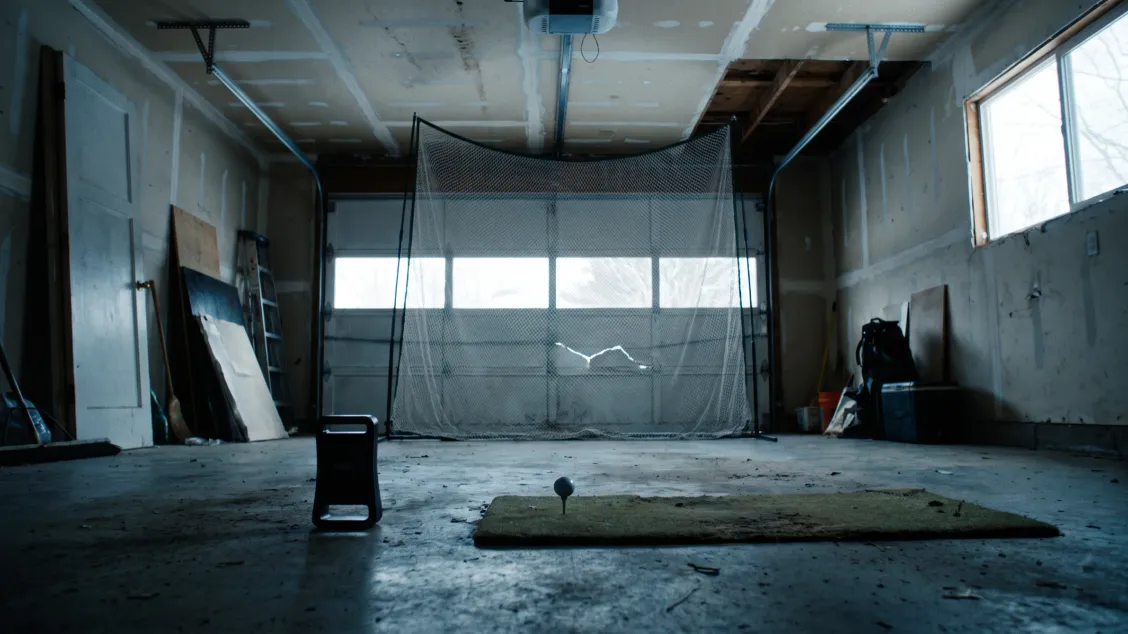
Quick answer
What a working setup costs, before any screen or projector:
| Piece | Price | Notes |
|---|---|---|
| Garmin Approach R10 | $499.99 | Tripod and phone mount included, up to 10 hours of battery |
| Garmin Golf membership | $99.99/yr or $9.99/mo | Includes Home Tee Hero and 43,000+ courses |
| Awesome Golf | $159.99/yr or $349.99 lifetime | Games and family play, runs on an iPad |
| GSPro | $250/yr | 2,500+ community courses, needs a gaming PC |
| E6 by TruGolf | $150, $300 or $450/yr | Improve is practice, Play is the 15,000+ course library, Enjoy is both |
| Net and mat | $695 for a full-size Net Return Home Series net | Cheaper nets exist; a mat that spares your wrists is the other essential |
The R10 and a year of Garmin Golf are $599.98 on their own. Add a budget net and mat and year one lands near $900. Add a full-size Net Return at $695 and a mat worth owning and it lands near $1,500. After year one it is $99.99 a year either way.
The space is what disqualifies most rooms
Read the tape measure before you read the reviews. Garmin’s indoor setup guide gives a hard minimum: “your space must be a minimum of 15 feet long by 8 feet wide by 8 feet high.” Inside that envelope:
- The ball sits at least 8 feet from the net or impact screen. Garmin adds that a longer distance improves accuracy.
- The R10 goes on the floor 6 to 8 feet behind the mat, and Garmin recommends 7 feet. It is a ground unit on a small tripod, aimed down the target line with the red alignment line pointing at the ball. If you hit off a mat, the owner’s manual says the bottom edge of the device has to sit above the mat.
- The mat is at least 2 feet by 2 feet, though Garmin recommends one big enough to stand on so you hit off the same level you are standing on.
- Pad the net or enclosure frame. Garmin puts this in writing because a ball off a metal upright comes back fast.
The 8 foot ceiling is what kills most basements. The 8 foot width is the one people forget, because a golf swing needs sideways room as well as room down the target line. Garmin’s own test is simpler than a tape measure: if you cannot take a full swing comfortably in the space, expect short distances and bad numbers.
How the R10 reads a shot, and why indoors is harder
The R10 is a doppler radar unit that watches the club and ball leave the hitting area, then models the rest of the flight from those launch conditions. Ball speed, club speed, launch angle and launch direction come off the radar. Carry, total distance, apex and rollout are computed from them.
Indoors that model has less to work with, because the ball stops against a net 8 feet away instead of flying 250 yards. Garmin’s own first troubleshooting step is to enter the measured tee distance when a simulator session starts, and its second is to set weather conditions that match where you normally play. Both exist because the number on screen is a calculation, and the calculation needs its inputs.
Alignment is the other quiet failure. Point the device left of your target line and every shot reads further right than it flew. Garmin’s fix is to hit a shot whose shape you already know and adjust until the app agrees with your eyes.
What the independent tests say
Garmin’s published accuracy specs for the R10 are 1 mph on ball speed, 3 mph on club speed, 1 degree on launch angle and launch direction, and 5 yards on carry distance, quoted in Plugged In Golf’s R10 review.
That review tested against those numbers and found the unit “often perfectly in line with a professional grade launch monitor outdoors.” Indoors, “the accuracy was very acceptable, but it was perfect less frequently.” The exception was spin: “I found this to be more common with wedges and mishit shots, the R10 tended to report much higher spin numbers.” Well struck shots from driver through the scoring irons landed within a couple hundred rpm.
So the honest read: trust carry and speed, treat spin as a comparison between your own swings rather than a fitting number.
Golf Monthly’s review points the other direction on where to use it. It found the R10 “struggles with use at the driving range” and called out the lack of ball normalisation, meaning beat-up range balls read as beat-up range balls. Its verdict on the home setup: “when using real golf balls in a net or home studio, the Approach R10 is one of the richest and rewarding launch monitors on the market.”
The two reviews disagree on the range, and the disagreement is the useful part. Plugged In Golf got its best outdoor numbers there; Golf Monthly ran into range balls the R10 cannot normalise. Both liked it hitting your own ball into a net, which is the setup this post is about.
Which software to run
Four packages cover almost every R10 owner, and the choice comes down to whether you own a gaming PC. Garmin’s own compatibility list is longer, but these are the four worth comparing.
- No PC, want to play courses. Garmin Golf at $99.99/yr. Home Tee Hero covers more than 43,000 mapped courses and runs off your phone or tablet.
- No PC, want games and family use. Awesome Golf, $159.99/yr or $349.99 once. The lifetime license costs less than three years of annual billing.
- Gaming PC already sitting there. GSPro at $250/yr, with 2,500+ community-built courses at no extra charge. GSPro lists the R10 as officially supported and publishes its own connection guide for it.
- Want practice tools and course play under one license. E6 by TruGolf splits them by tier. Improve is $150/yr for Bag Mapping, Club Fitting, Skills Challenges and practice. Play is $300/yr for the 15,000+ course library and course play. Enjoy is $450/yr for both. Note that E6 Connect is a separate product with its own subscription.
GSPro’s published minimum for 1080p play is a 3060-class GPU, 16GB of memory and Windows 10 or 11. If that machine does not already exist in your house, price it before you price the subscription. The full breakdown of every package and its 3-year cost lives in the golf simulator software guide.
Who an R10 simulator fits
Golfers with a garage bay and a winter. Garmin’s 15 by 8 by 8, a net, a mat and roughly $900 in year one buys unlimited swings in January.
Golfers who want their real carry numbers. A run of honest sessions turns “my 7-iron goes 165” into a median you can plan with, and that is the input every scoring decision runs on. Gapping work like this is one of the reliable ways to move a Handicap Index without changing your swing.
Anyone who already owns an R10. If the unit is in a bag pocket and a net and mat are already up, software is the only new line, and Garmin Golf at $99.99/yr is the cheapest door in.
Who it doesn’t fit
Anyone chasing spin numbers. Wedge spin is the R10’s known weakness, indoors most of all. Club fitting off these numbers is a bad idea; a fitter with a GCQuad or TrackMan exists for a reason.
Any room under 15 by 8 by 8 feet. Those are Garmin’s published minimums, not a rule of thumb, and the 8 foot ceiling rules out a lot of basements. Squeezing the setup into a smaller room still puts a number on screen. Garmin’s own warning is that it will be a short one.
Golfers who mostly want a range tool. Golf Monthly found it struggles there, largely because range balls read as range balls. Plugged In Golf got good outdoor numbers with real balls, so the split is the ball, not the location.
Anyone who wants a projector enclosure on a budget. A screen, projector and frame is its own project on top of the $499.99 device, and the R10 reads the shot the same either way. A net gets you the identical data.
The next step
An R10 tells you how far the ball goes. It has nothing to say about which ball you should be hitting or what to work on when the numbers come back ugly, and those are separate jobs.
We build the GameCaddie apps, so read this knowing that. BallCaddie matches you to a ball from 72 models in about 90 seconds: Find your ball. PracticeCaddie turns a 10-drill assessment into a golf practice plan instead of another bucket of 7-irons: Build an AI practice plan. Both are free to start, no card. If you want the whole suite, Get every app.
For deeper dives
- What is a good golf handicap? the numbers behind every scoring benchmark
- Golf simulator software: cost and what it works with every package and its 3-year math
- Garmin R10 vs Rapsodo MLM2PRO the head-to-head, including the subscription trap
- Best golf launch monitor under $600 where the R10 sits against the rest of the band
- Strokes gained explained what to do with the numbers once you have them
Key takeaways
- The Garmin Approach R10 is $499.99, and $599.98 with a year of Garmin Golf. A net and mat put year one between roughly $900 and $1,500.
- Space is the real gate: Garmin’s published indoor minimum is 15 feet long by 8 feet wide by 8 feet high, with the ball at least 8 feet from the net.
- Garmin’s published accuracy specs are 1 mph ball speed, 3 mph club speed, 1 degree launch angle and 5 yards carry.
- Spin runs high on wedges and mishits, so use it to compare your own swings, not to get fit for clubs.
- The four packages worth comparing: Garmin Golf $99.99/yr, Awesome Golf $159.99/yr, GSPro $250/yr, and E6 at $150/yr for practice or $300/yr for course play.
- Golf Monthly’s review found the R10 struggles at a driving range, where range balls skew it; both reviews liked it hitting your own ball into a net at home.